A quick tour of the dashboard — the summary of your entire account that you see right after logging in.
The dashboard is the first page you'll see after logging in to Voyager. It gives you a quick summary of your entire account — usage, connectivity, SIM status, and a live projection of your bill — all on one page.
The top of the dashboard is a set of panels that summarize activity across all of your SIM cards.
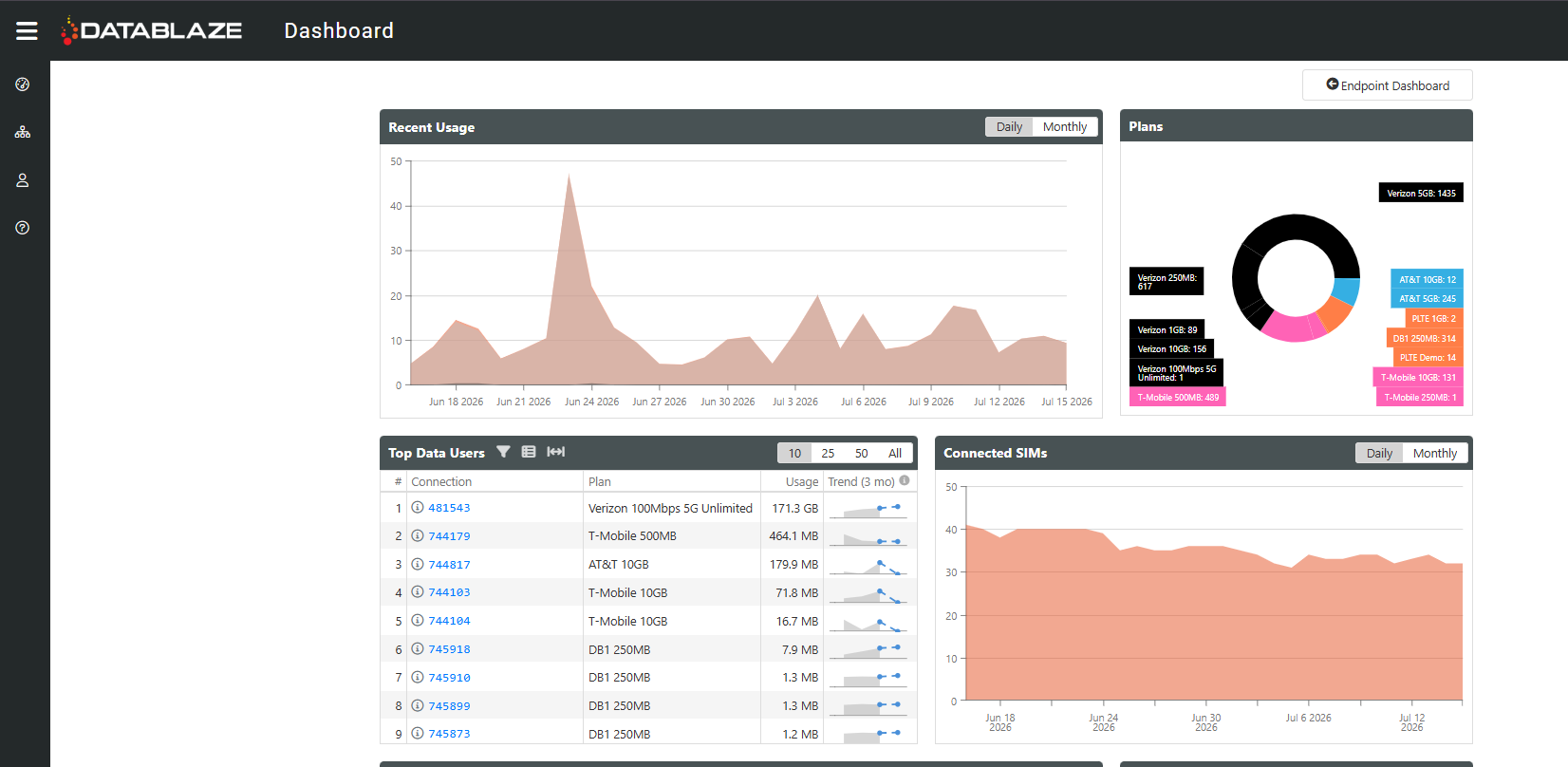
- Recent Usage — total data usage across all of your SIM cards, by day. Can be toggled to show Monthly view.
- Plans — how many SIM cards are active on each of your data plans.
- Top Data Users — the highest-usage SIM cards this bill cycle, each with a quick link into that SIM's detail page. The Trend column shows the predicted usage based off of the usage trends for the SIM.
- Connected SIMs — how many of your lines are connecting to the network on a given day. A noticeable dip can be an early warning sign of a network issue. Can be toggled to show Monthly view.
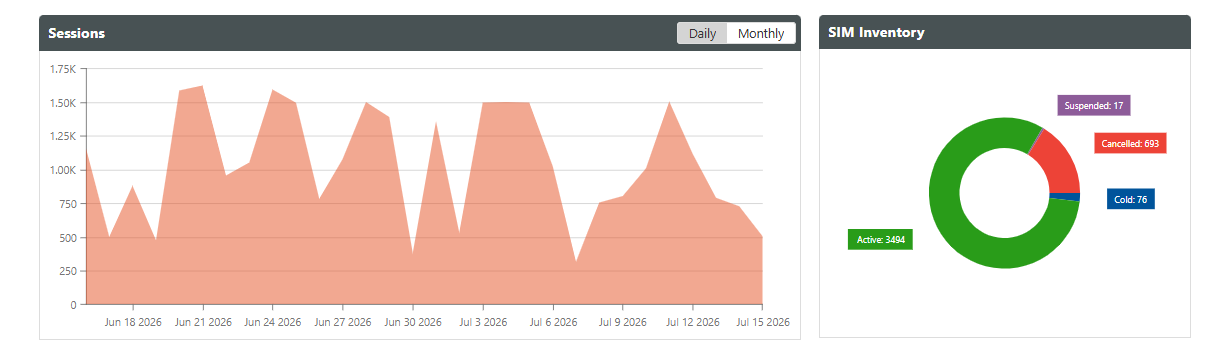
- Session Count — a "session" is a SIM connecting, using some data, and disconnecting. A spike or drop here can also flag a network issue. The default view is daily but can be set to monthly.
- SIM Inventory — a breakdown of how many SIM cards are active, in cold stock (ready to activate), canceled, terminated, or suspended.
Toward the bottom of the dashboard is the Estimated Charges section — the feature that goes beyond typical usage graphs. It calculates what your invoice would look like if your bill cycle ended today, and it automatically accounts for mid-cycle changes like new activations, plan upgrades or downgrades, suspensions, and terminations, so the number stays accurate as you make changes.
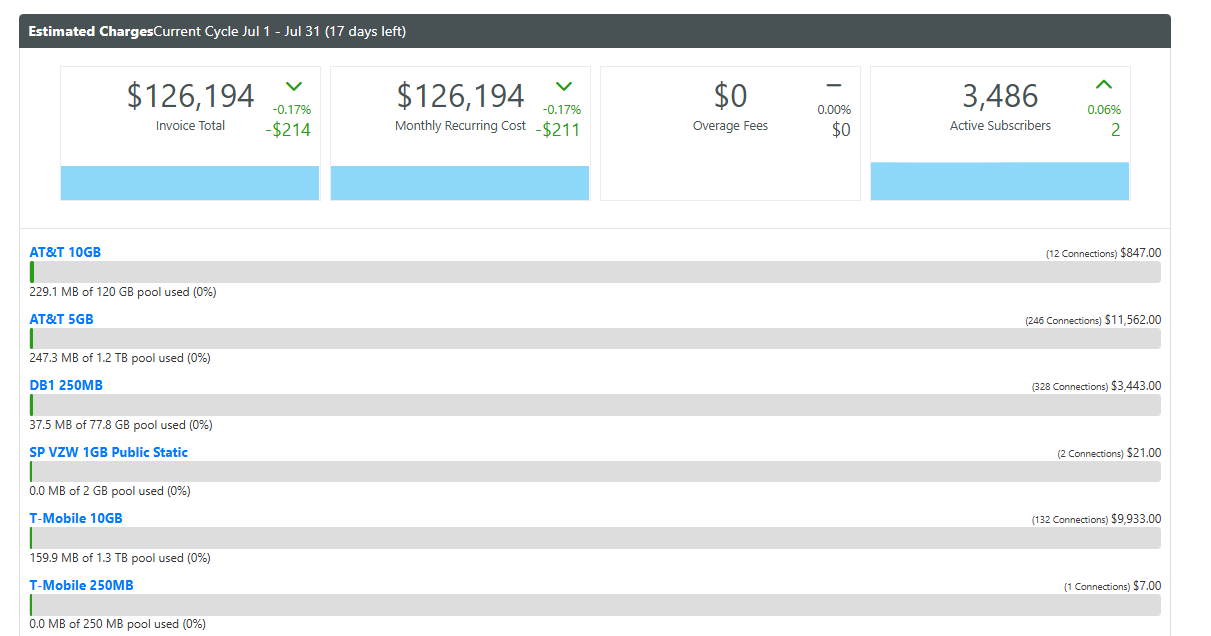
Along the top of this section you'll see your estimated Invoice Total for the current cycle, your MRC (Monthly Recurring Cost — mainly line access fees), any Overage, and your Active Subscribers count. Below the summary, each data plan is broken out into its own row showing how many SIMs are on it, its access fee, its shared data pool and how much data has been used.
Was this article helpful?
That’s Great!
Thank you for your feedback
Sorry! We couldn't be helpful
Thank you for your feedback
Feedback sent
We appreciate your effort and will try to fix the article