BoltHardwareLast updated: 06/19/2026
Bolt Power Button
Where the Bolt's power button is and how to power the device off and back on.
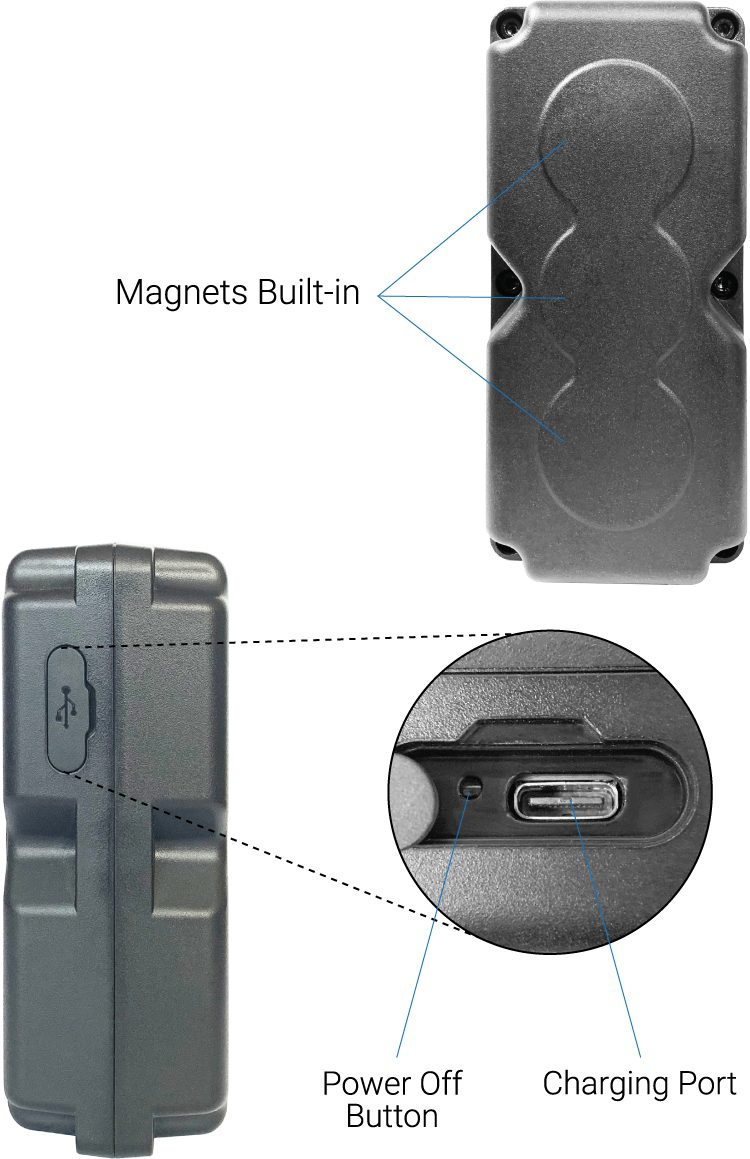
The Bolt has one small button inside the charging port cover (see image below).
To power off the Bolt, pry open the charging port (shown below). Then, using a paper clip or something similar in size, press the button next to the charging port (shown below). To power the Bolt back on, you must plug the Bolt into the charger and plug the charger into an AC Wall outlet.
Was this article helpful?
That’s Great!
Thank you for your feedback
Sorry! We couldn't be helpful
Thank you for your feedback
Feedback sent
We appreciate your effort and will try to fix the article